

Website Maintenance Checklist for Business Owners (2026 Guide)
A website maintenance checklist is a structured set of recurring tasks covering security, performance, backups, content updates, and SEO that keep your business website secure, fast, and visible in search results. Without a documented maintenance routine, most business websites deteriorate within months: pages slow down, security gaps appear, search rankings slip, and customers quietly leave for competitors whose sites actually work.
This guide gives you the complete, frequency-based checklist that our team at Dev Techno soft uses across 9,000+ client websites from local service businesses to growing e-commerce brands.
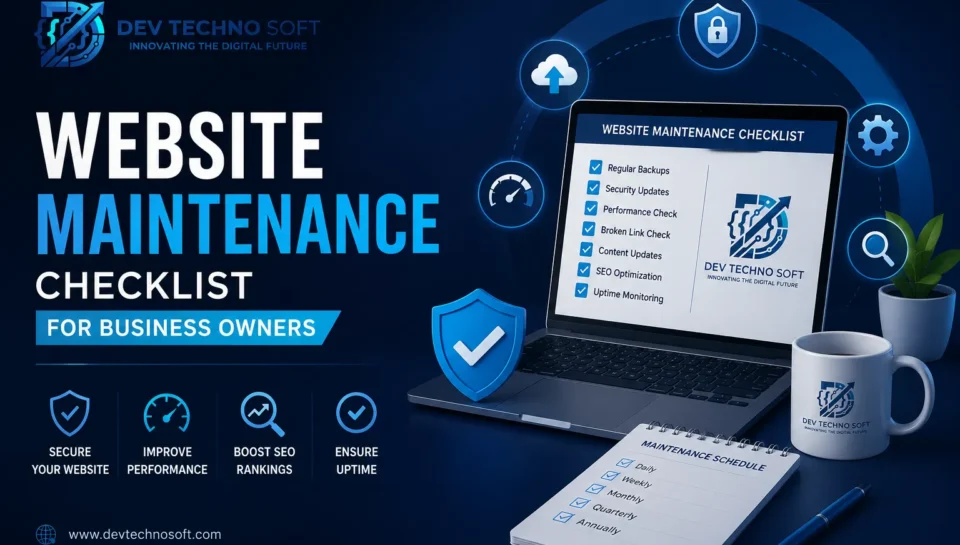
Quick Answer: A website maintenance checklist should include daily uptime and security monitoring, weekly software and plugin updates, monthly performance audits and backup verification, quarterly access reviews and compliance checks, and an annual full-site audit covering hosting, design, and business alignment. The sections below break each of these down into specific, actionable tasks.
Why Website Maintenance Matters for Business Owners
Your website is not a one-time project. It is a living business asset that requires consistent attention much like a storefront requires cleaning, restocking, and repairs.
Here is what happens when businesses skip regular maintenance:
The Real Cost of Neglecting Your Website
- Revenue loss: Approximately 67% of business owners report losing revenue directly due to website downtime. For small businesses, unplanned outages can cost anywhere from $137 to $427 per minute.
- Customer abandonment: Research shows that roughly 9% of visitors who encounter a down website never return that is permanent customer loss, not a temporary dip.
- Search ranking drops: Google factors site availability, speed, and security into its ranking algorithms. Frequent downtime and slow load times push your pages down in results.
- Security breaches: Over 30,000 websites are hacked every single day. Outdated plugins, themes, and CMS versions are the most common entry points.
- Compliance penalties: Privacy regulations like GDPR and CCPA require up-to-date consent mechanisms and data handling disclosures. Falling behind on these creates legal exposure.
How Maintenance Affects Revenue, SEO, and Trust
Think of maintenance as compound interest for your digital presence. Each small, consistent action an update here, a speed fix there compounds over months into a website that loads faster, ranks higher, converts more visitors, and builds genuine trust with both search engines and customers.
On the other hand, neglect compounds negatively. One missed update leads to a vulnerability. One vulnerability leads to a hack. One hack leads to blacklisting by Google, lost customer data, and weeks of recovery work that costs far more than preventive maintenance ever would.
Bottom line: Proactive website maintenance is not an expense it is insurance for your revenue, your reputation, and your search visibility.
Complete Website Maintenance Checklist
The most effective maintenance programs are organized by frequency. Not every task needs daily attention, and trying to do everything at once leads to burnout and inconsistency. The checklist below follows the rhythm that works in practice.
Daily Website Maintenance Tasks
These are your non-negotiable, every-single-day habits. Most can be automated.
- Monitor uptime and availability. Use an uptime monitoring tool to get instant alerts if your site goes down. Even five minutes of undetected downtime during business hours can mean lost sales.
- Check for security alerts and anomalies. Review your security dashboard for unauthorized login attempts, bot traffic spikes, or flagged files. Automated alerts reduce your response time from hours to minutes.
- Verify that critical pages load correctly. Spot-check your homepage, key landing pages, and checkout or contact forms. Broken functionality often goes unnoticed by business owners who rarely visit their own site as a customer would.
- Review form submissions and lead captures. Submit a test inquiry through your contact form. Confirm that emails arrive in the correct inbox or CRM. Broken forms are one of the most common and most invisible lead killers.
Weekly Website Maintenance Tasks
This is your hands-on maintenance window. Block 30–60 minutes each week for these tasks.
- Install CMS, plugin, and theme updates. WordPress, Shopify, and other platforms release patches constantly. Always back up before updating, and test your site after each batch of updates.
- Review website analytics. Check traffic trends, bounce rates, and conversion data. Look for sudden drops that might indicate a broken page, a lost backlink, or a search ranking shift.
- Scan for malware and vulnerabilities. Run a security scan even if your daily monitoring shows no alerts. Some threats are designed to stay hidden until triggered.
- Test site speed on mobile and desktop. Use Google PageSpeed Insights or GTmetrix to check that recent changes have not degraded performance. A page that loads in under 2.5 seconds performs measurably better than one that takes 4 or more.
- Check for broken links. Broken internal and external links hurt both user experience and SEO. Use a crawler tool to catch 404 errors before your visitors do.
Monthly Website Maintenance Tasks
Monthly tasks are deeper audits that keep your site aligned with business goals and industry standards.
- Verify and test backups. Automated backups are only valuable if they actually work. Restore a backup to a staging environment at least once a month to confirm it is complete and functional.
- Optimize database performance. Over time, your website database accumulates overhead post revisions, spam comments, transient data. Clean it up monthly to keep queries fast.
- Audit and refresh content. Update pricing, team bios, seasonal promotions, and any time-sensitive information. Search engines reward fresh, accurate content and customers trust businesses that clearly keep their information current.
- Review Core Web Vitals. Check Largest Contentful Paint (LCP), Interaction to Next Paint (INP), and Cumulative Layout Shift (CLS) in Google Search Console. These directly impact your search performance.
- Optimize images and media. Compress newly uploaded images, convert to modern formats like WebP, and remove unused media files that bloat your hosting storage.
- Check SSL certificate status. A lapsed SSL certificate triggers browser warnings that immediately destroy visitor trust. Most certificates auto-renew, but verification prevents surprises.
Quarterly Website Maintenance Tasks
These are strategic reviews that require stepping back and looking at the bigger picture.
- Audit all plugins and extensions. Remove anything inactive, unused, or redundant. Each installed plugin expands your attack surface even deactivated ones carry risk.
- Review user access and permissions. Remove accounts for former employees, freelancers, or agencies who no longer need access. Audit remaining accounts to ensure permission levels are appropriate.
- Test third-party integrations. Payment gateways, email marketing platforms, CRMs, analytics tools verify that data flows correctly between your website and every connected service.
- Review legal and compliance pages. Privacy policies, terms of service, and cookie consent banners need to reflect current regulations. Laws change, and your compliance pages should change with them.
- Conduct a UX review. Walk through your site as a new visitor on multiple devices. Look for confusing navigation, outdated design elements, or friction points in your conversion funnel.
- Evaluate hosting performance. Is your hosting plan still appropriate for your traffic levels? Are server response times acceptable? If your site has grown, your hosting should grow with it.
Annual Website Maintenance Tasks
Once a year, step all the way back and evaluate your website against your current business goals.
- Conduct a full site audit. Evaluate every page for relevance, accuracy, and alignment with your current brand positioning and service offerings.
- Review your technology stack. Assess whether your CMS, hosting provider, and supporting tools still meet your needs or whether it is time to upgrade, migrate, or consolidate.
- Renew domains, SSL certificates, and hosting plans. Calendar these renewals well in advance. Expired domains can be snatched by domain squatters within hours, and expired hosting means your site simply disappears.
- Assess design and branding. Does your website still represent your business accurately? Web design trends and customer expectations evolve. A site that looked professional three years ago may now signal neglect.
- Plan the year ahead. Based on your audit findings, set specific goals for the coming year whether that means a redesign, new features, a content strategy overhaul, or a platform migration.
Website Maintenance Checklist Table
Use this master reference to track your maintenance program. Print it, share it with your team, or hand it to your website maintenance services provider.
| Task | Frequency | Importance | Recommended Tools |
| Uptime monitoring | Daily | Critical | Uptime Robot, Pingdom, Better Uptime |
| Security alert review | Daily | Critical | Sucuri, Wordfence, Cloudflare |
| Form and checkout testing | Daily | High | Manual testing, Formspree |
| CMS/Plugin/Theme updates | Weekly | Critical | WordPress Dashboard, ManageWP |
| Analytics review | Weekly | High | Google Analytics 4, Search Console |
| Malware scanning | Weekly | Critical | Sucuri Site Check, MalCare |
| Speed testing | Weekly | High | Page Speed Insights, GTmetrix |
| Broken link check | Weekly | Medium | Screaming Frog, Broken Link Checker |
| Backup verification | Monthly | Critical | Updraft Plus, Blog Vault, Jetpack |
| Database optimization | Monthly | Medium | WP-Optimize, phpMyAdmin |
| Content refresh | Monthly | High | Manual audit, Semrush Content Audit |
| Core Web Vitals review | Monthly | High | Google Search Console, Lighthouse |
| Image optimization | Monthly | Medium | Short Pixel, Imagify, Smush |
| SSL certificate check | Monthly | Critical | SSL Labs, hosting panel |
| Plugin/extension audit | Quarterly | High | Manual review |
| User access review | Quarterly | High | User management panel |
| Integration testing | Quarterly | Medium | Manual testing |
| Legal/compliance update | Quarterly | High | Manual review, legal counsel |
| UX walkthrough | Quarterly | Medium | Manual testing, Hotjar |
| Hosting evaluation | Quarterly | Medium | Hosting provider dashboard |
| Full site audit | Annual | Critical | Screaming Frog, Semrush, Ahrefs |
| Technology stack review | Annual | High | Internal assessment |
| Domain/SSL/hosting renewal | Annual | Critical | Registrar dashboard |
| Design and branding review | Annual | Medium | Internal assessment |
| Annual goal planning | Annual | High | Internal strategy session |
Website Security Checklist
Security is not optional it is the foundation of everything else on this list. A hacked website does not just cost money to fix; it destroys the trust you have built with customers and search engines alike.
Essential security tasks:
- ✅ Install and configure a web application firewall (WAF)
- ✅ Enable two-factor authentication for all admin accounts
- ✅ Use strong, unique passwords enforce this across your team
- ✅ Keep all software updated within 48 hours of patch release
- ✅ Run automated malware scans daily
- ✅ Maintain off-site, encrypted backups (the 3-2-1 backup rule: three copies, two different media types, one off-site)
- ✅ Monitor file integrity for unauthorized changes
- ✅ Limit login attempts and block repeat offenders
- ✅ Disable XML-RPC if not in use (WordPress-specific)
- ✅ Review and harden server permissions
- ✅ Implement Content Security Policy (CSP) headers
- ✅ Remove default admin usernames
What is the 3-2-1 backup rule? Keep three copies of your data, store them on two different types of media (e.g., cloud + external drive), and keep one copy in an off-site location. This ensures that no single event server failure, ransomware, natural disaster can destroy all your backups simultaneously.
Website Performance Optimization Checklist
Page speed is a direct ranking factor, and user patience is shorter than ever. A one-second delay in page load time can reduce conversions by up to 7%.
Performance optimization tasks:
- ✅ Target Largest Contentful Paint (LCP) under 2.5 seconds
- ✅ Keep Interaction to Next Paint (INP) under 200 milliseconds
- ✅ Maintain Cumulative Layout Shift (CLS) below 0.1
- ✅ Enable browser caching with appropriate expiration headers
- ✅ Minify CSS, JavaScript, and HTML files
- ✅ Implement lazy loading for images and videos below the fold
- ✅ Use a Content Delivery Network (CDN) for global visitors
- ✅ Compress images to WebP or AVIF format
- ✅ Reduce server response time (TTFB under 200ms)
- ✅ Eliminate render-blocking resources
- ✅ Audit and remove unused CSS and JavaScript
- ✅ Optimize web fonts preload critical fonts, limit font weights
SEO Maintenance Checklist
SEO is not a set-and-forget activity. Search algorithms evolve, competitors publish new content, and your own site changes over time. Regular SEO maintenance protects and grows your organic traffic.
- ✅ Monitor keyword rankings weekly for priority terms
- ✅ Check Google Search Console for crawl errors, indexing issues, and manual actions
- ✅ Submit updated sitemaps after structural changes
- ✅ Fix broken internal and external links promptly
- ✅ Audit meta titles and descriptions for accuracy and click-through optimization
- ✅ Review and update schema markup (FAQ, Article, Product, Local Business)
- ✅ Track and improve Core Web Vitals scores
- ✅ Identify and resolve duplicate content issues
- ✅ Update old content with fresh data, statistics, and links
- ✅ Monitor backlink profile for toxic or lost links
- ✅ Optimize for featured snippets by adding clear definitions and structured answers
- ✅ Ensure mobile usability across all pages
Common Website Maintenance Mistakes
Even well-intentioned business owners make these errors. Recognizing them is the first step toward building a reliable maintenance habit.
- Updating plugins and CMS without backing up first. A single failed update can break your entire site. Always back up before you touch anything.
- Ignoring mobile experience. Over 60% of web traffic comes from mobile devices. If you only test on desktop, you are ignoring the majority of your audience.
- Accumulating unused plugins and themes. Every unused plugin is a potential security hole. If you are not actively using it, delete it not just deactivate it.
- Skipping staging tests. Making changes directly on your live site is risky. Use a staging environment to test updates, design changes, and new features before they affect real visitors.
- Treating maintenance as a one-time event. Running a “cleanup” once a year and ignoring the site for the other eleven months is worse than doing nothing at all it creates a false sense of security.
- Not monitoring uptime. If your site goes down at 2 AM and you don’t find out until a customer complains at 10 AM, that’s eight hours of lost business you cannot recover.
- Using weak or shared passwords. One compromised password can give attackers full control of your website, hosting, and customer data.
- Neglecting legal compliance. Privacy policies and cookie consent requirements change regularly. Falling behind creates legal risk that no amount of technical maintenance can fix.
Best Tools for Website Maintenance
The right tools make the difference between a maintenance program that takes hours and one that takes minutes. Here are the tools we recommend and use at Dev Techno soft:
| Category | Tool | Best For | Cost |
| Uptime Monitoring | UptimeRobot | Free monitoring with 5-minute checks | Free / Paid |
| Security | Sucuri | Firewall, malware detection, cleanup | Paid |
| Security (WordPress) | Wordfence | Comprehensive WordPress security | Free / Premium |
| Backups | UpdraftPlus | WordPress backup and restore | Free / Premium |
| Performance | GTmetrix | Detailed speed analysis | Free / Paid |
| Performance | Google Page Speed Insights | Core Web Vitals measurement | Free |
| SEO Audit | Screaming Frog | Technical SEO crawling | Free (500 URLs) / Paid |
| SEO Monitoring | Google Search Console | Indexing, errors, performance | Free |
| Analytics | Google Analytics 4 | Traffic and conversion tracking | Free |
| Image Optimization | Short Pixel | Bulk image compression | Free / Paid |
| Site Management | Manage WP | Manage multiple WordPress sites | Free / Paid |
| Broken Links | Broken Link Checker | Detect 404 errors | Free |
Website Maintenance for WordPress Websites
WordPress powers roughly 43% of all websites on the internet, which makes it a frequent target for automated attacks. WordPress website maintenance demands extra attention in a few key areas.
WordPress-specific maintenance priorities:
- Update WordPress core, themes, and plugins weekly. WordPress releases minor security patches frequently. Enable auto-updates for minor versions, but test major updates on a staging site first.
- Remove inactive themes and plugins. Deactivated does not mean safe. Attackers can exploit vulnerabilities in plugins that are installed but not active.
- Optimize the WordPress database. Use WP-Optimize or a similar tool to clean post revisions, trashed items, and transient options. A lean database means faster queries.
- Use a caching plugin. WP Super Cache, W3 Total Cache, or LiteSpeed Cache dramatically reduce server load and improve page speed.
- Harden wp-config.php and .htaccess files. Move sensitive configuration above the web root where possible, and set restrictive file permissions.
- Disable file editing from the dashboard. Add define(‘DISALLOW_FILE_EDIT’, true); to wp-config.php. If an attacker gains admin access, this prevents them from injecting code through the built-in editor.
- Implement a WordPress-specific firewall. Wordfence or Sucuri provide protection tailored to WordPress attack patterns.
- Schedule automated backups. Configure UpdraftPlus, BlogVault, or Jetpack Backup to run daily backups to a remote storage location like Google Drive or Amazon S3.
Pro tip: If you run WooCommerce, add payment gateway testing and order flow verification to your weekly maintenance checklist. A broken checkout process means zero revenue, and you may not discover the issue until a customer reports it.
Signs Your Website Needs Immediate Attention
Do not wait for your scheduled maintenance window if you notice any of these warning signs:
- 🚨 Your site is loading noticeably slower. Sudden speed drops often indicate a failed plugin update, a server issue, or injected malicious code.
- 🚨 You see a browser security warning. “Not Secure” or “Deceptive Site Ahead” warnings will drive away virtually all visitors. Investigate immediately.
- 🚨 Contact forms have stopped sending emails. This can go undetected for days or weeks, silently costing you leads.
- 🚨 Your search rankings have dropped sharply. A sudden ranking drop may signal a manual penalty, a crawl error, or a technical issue that prevents indexing.
- 🚨 Visitors report strange behavior or redirects. Malware injections often redirect visitors to spam sites. If a customer mentions it, treat it as a critical security incident.
- 🚨 Your SSL certificate has expired. Browsers will block access to your site entirely, and search engines will flag it as unsafe.
- 🚨 You notice unfamiliar user accounts in your CMS. This is a sign that your site has been compromised. Change all passwords, remove unauthorized accounts, and run a full security scan.
Professional Website Maintenance vs. DIY Maintenance
One of the most common questions business owners ask is whether they should handle maintenance themselves or hire a professional team. Here is an honest comparison.
| Factor | DIY Maintenance | Professional Maintenance Services |
| Monthly Cost | $0 (your time only) | $50–$500+ depending on scope |
| Time Required | 4–8 hours/month | Minimal (provider handles it) |
| Technical Expertise | Must learn CMS, security, SEO basics | Handled by specialists |
| Response Time | Depends on your availability | Typically under 4 hours (SLA) |
| Security Coverage | Basic (firewalls, updates) | Advanced (WAF, monitoring, cleanup) |
| Backup Management | Manual setup and testing | Automated with verified restores |
| SEO Monitoring | Basic tracking | Comprehensive audits and optimization |
| Risk Level | Higher (mistakes are common) | Lower (experienced team) |
| Scalability | Limited by your time | Scales with your business |
| Best For | Solo operators, tight budgets | Growing businesses, e-commerce, agencies |
The honest truth: DIY maintenance works for very simple sites with low traffic and minimal business impact. But the moment your website generates revenue whether through leads, e-commerce sales, or brand visibility the cost of professional maintenance services is almost always less than the cost of the problems that DIY maintenance misses.
Expert Tips from Dev Techno soft
After maintaining thousands of business websites across industries, here are the patterns we see consistently among the sites that perform best:
- Treat your website like a revenue-generating employee. It works 24/7, and it needs regular support to perform at its best. Skipping maintenance is the equivalent of asking an employee to work without ever servicing their equipment.
- Automate the routine, humanize the strategy. Uptime monitoring, backups, and security scans should be automated. Content strategy, UX improvements, and competitive analysis need human judgment.
- Document everything. Keep a maintenance log. When something breaks six months from now, a log that shows what changed and when will save your team hours of troubleshooting.
- Don’t chase every metric focus on the ones tied to revenue. Page speed matters because it affects conversions. Core Web Vitals matter because they affect rankings. Focus your maintenance energy on the tasks that directly connect to business outcomes.
- Build a 30-minute weekly habit. The businesses with the healthiest websites are not spending all day on maintenance. They are spending a focused 30 minutes each week on the critical weekly tasks and they never skip it.
- Invest in staging environments. A staging site costs very little but prevents expensive mistakes. Every update, design change, and plugin installation should be tested in staging before it touches your live site.
Future of Website Maintenance in the AI Era
Website maintenance is evolving rapidly, and AI is reshaping what is possible for business owners who want to stay ahead.
What is changing:
- AI-powered monitoring can now predict potential failures before they happen, shifting maintenance from reactive to predictive. Instead of discovering that your server is overloaded after it crashes, AI tools can alert you when traffic patterns suggest a crash is likely.
- Automated content freshness tools can flag outdated statistics, broken links, and stale references across hundreds of pages work that would take a human team days to complete manually.
- Smart security systems use machine learning to identify new attack patterns in real time, blocking threats that traditional rule-based firewalls would miss entirely.
- Generative AI for SEO enables faster content updates, meta description generation, and structured data creation but human review remains essential for accuracy and brand voice.
What is not changing:
- The need for human oversight and strategic thinking
- The importance of backups (AI cannot recover data that does not exist)
- Regular compliance reviews that require legal judgment
- User experience decisions that depend on understanding your specific customers
The businesses that will thrive are those that use AI to handle repetitive maintenance tasks while focusing their human attention on strategy, customer experience, and growth.
Conclusion
A website maintenance checklist is not a nice-to-have document it is the operational backbone of every successful business website. Without one, you are relying on luck to keep your site secure, fast, visible, and functional. And luck is not a business strategy.
The checklist in this guide covers everything from daily uptime monitoring to annual technology reviews. Whether you handle maintenance yourself or partner with a professional team, the important thing is that someone is doing it consistently, thoroughly, and without shortcuts.
Your website is working for your business right now, as you read this. The question is whether it is working as well as it could be.
Ready to Take Website Maintenance Off Your Plate?
At Dev Techno soft, we provide end-to-end website maintenance services, website development, WordPress and Shopify development, SEO, and digital marketing for businesses that are serious about growth. Our team has served 9,000+ businesses, and we understand that a well-maintained website is the foundation of every successful digital strategy.
📞 Contact Dev Techno soft for a free website health check and consultation. Let us handle the technical upkeep so you can focus on running your business.
Frequently Asked Questions (FAQs)
1. What is a website maintenance checklist?
A website maintenance checklist is an organized list of recurring tasks including security updates, backups, speed optimization, content reviews, and SEO audits that keep a business website secure, functional, and performing well in search results. It is typically organized by frequency: daily, weekly, monthly, quarterly, and annual tasks.
2. How often should I maintain my business website?
Your website needs some level of attention every day (automated uptime and security monitoring), hands-on work weekly (updates and analytics review), deeper audits monthly (performance, backups, content), strategic reviews quarterly (compliance, access, integrations), and a full site audit annually.
3. What are the most important website maintenance tasks?
The three non-negotiable tasks are: keeping all software updated (CMS, plugins, themes), maintaining verified backups that you can actually restore, and running continuous security monitoring. Neglecting any of these creates serious risk.
4. How much do website maintenance services cost?
Professional website maintenance services typically cost between $50 and $500 per month for small businesses, depending on the scope of work, the complexity of the site, and the response time guarantees. E-commerce and enterprise sites may cost $500 to $2,000+ monthly.
5. Can I maintain my website myself without technical knowledge?
Basic maintenance tasks like content updates, plugin installations, and backup management can be handled without deep technical knowledge. However, tasks involving security hardening, database optimization, server configuration, and technical SEO typically require professional expertise.
6. Why is website security so important for small businesses?
Small businesses are frequent targets because they often have weaker security measures than larger organizations. Over 30,000 websites are hacked daily, and the majority are small business sites running outdated software. A single breach can result in lost customer data, legal liability, and months of recovery.
7. What tools should I use for website maintenance?
Essential tools include UptimeRobot (uptime monitoring), Sucuri or Wordfence (security), UpdraftPlus (backups), Google PageSpeed Insights (performance), Screaming Frog (SEO audits), and Google Search Console (search monitoring). Most of these offer free tiers suitable for small business use.
8. How does website maintenance affect SEO rankings?
Search engines reward websites that are fast, secure, mobile-friendly, and regularly updated with fresh content. Neglected maintenance leads to slow load times, broken links, security warnings, and outdated content, all of which cause ranking declines.
9. What is the difference between website maintenance and website redesign?
Website maintenance is ongoing, incremental work that keeps your existing site healthy and performing well. A website redesign is a major overhaul of the site’s structure, design, and sometimes its underlying technology. Regular maintenance can extend the useful life of your current design and delay the need for a costly full redesign.
10. How do I know if my website needs professional maintenance services?
If your website generates revenue (through leads, e-commerce, or brand visibility), receives more than a few hundred visitors monthly, runs on WordPress or another CMS with plugins, or handles customer data professional maintenance services are a smart investment. The cost is almost always less than the cost of the problems that go undetected without expert oversight.